



| Category | Specification |
|---|---|
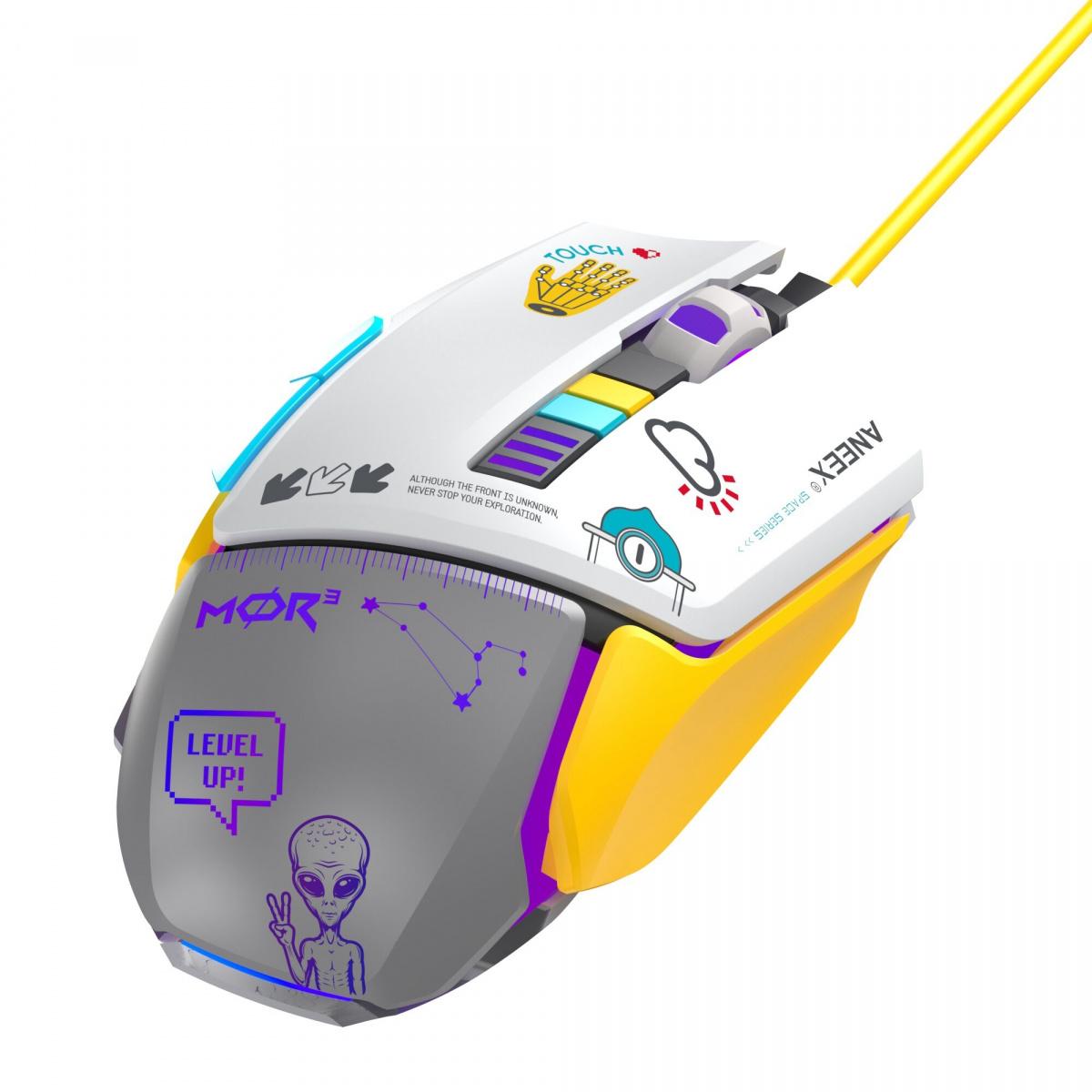
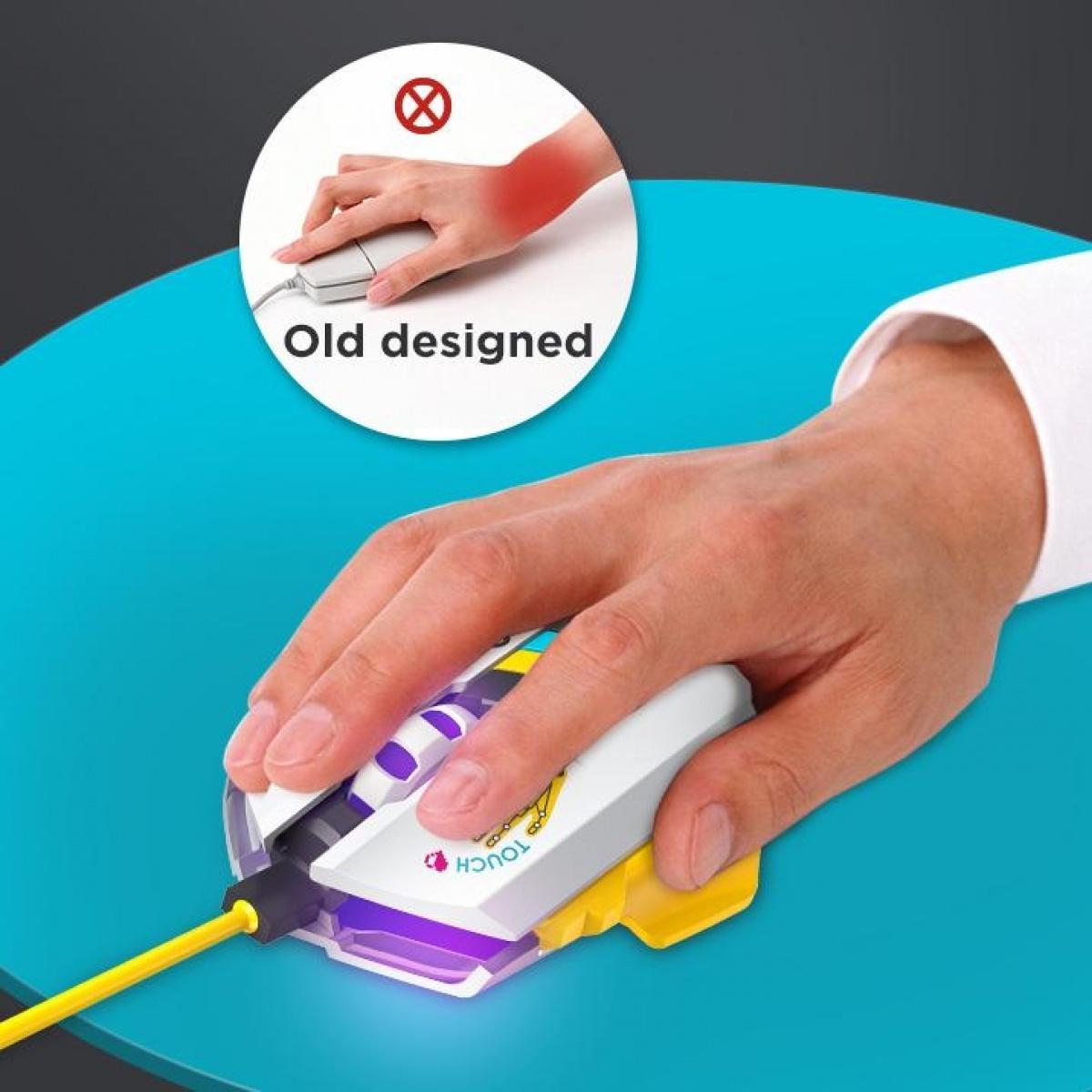
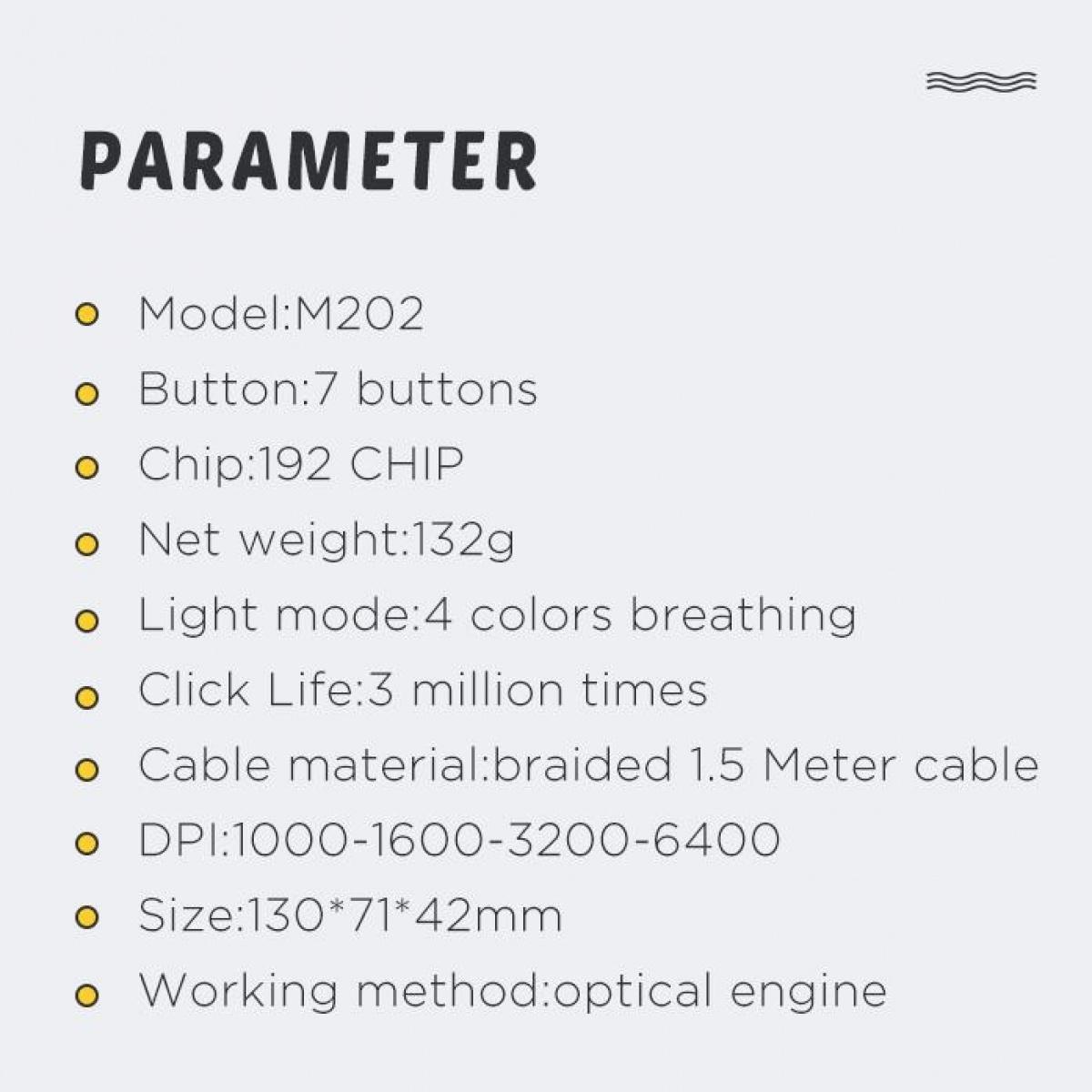
| Craftsmanship & Finish | 3D printed patterned top cover, iron gray bottom shell, yellow injection molded side keys |
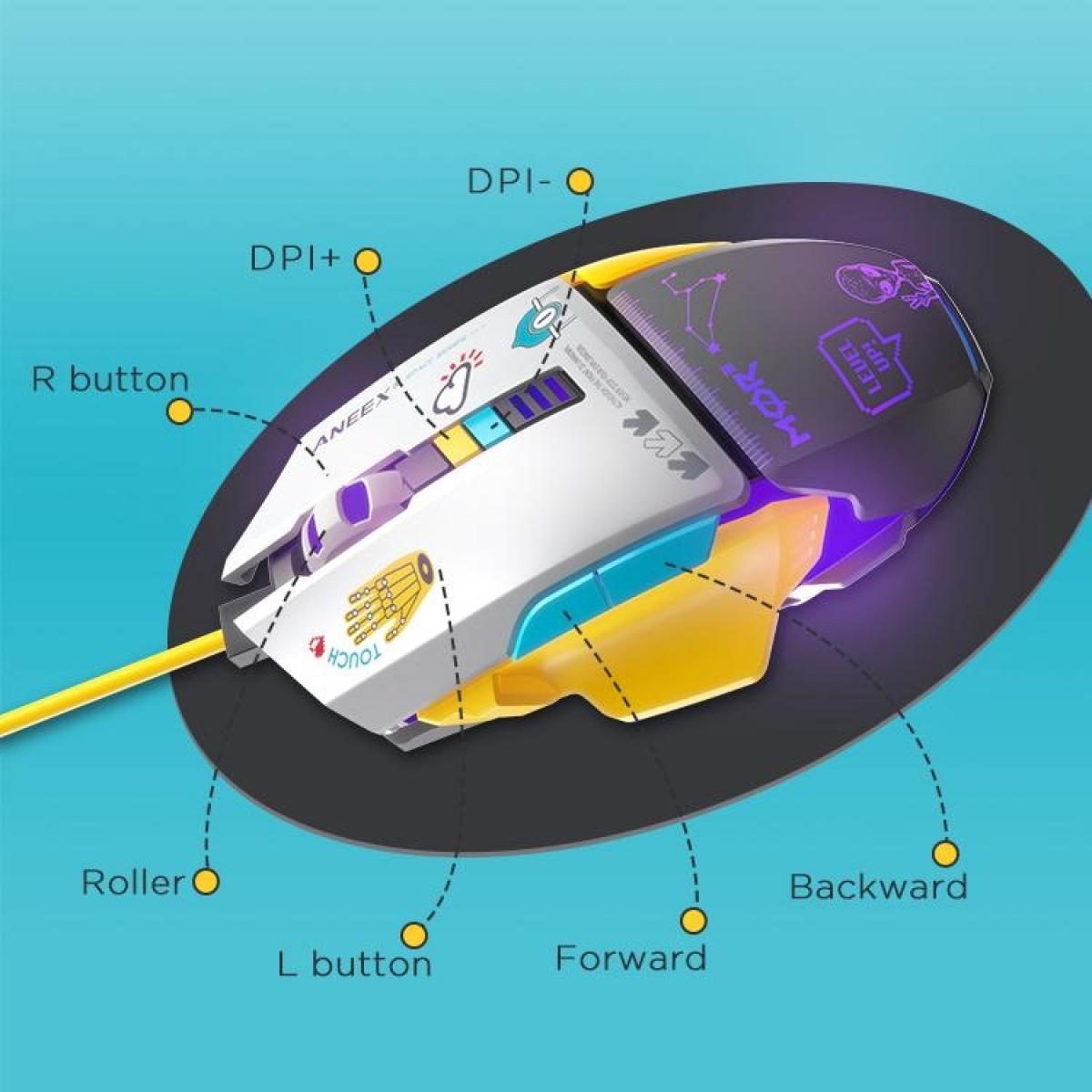
| Keys & Chipset | 7-key layout, equipped with professional 704F gaming IC |
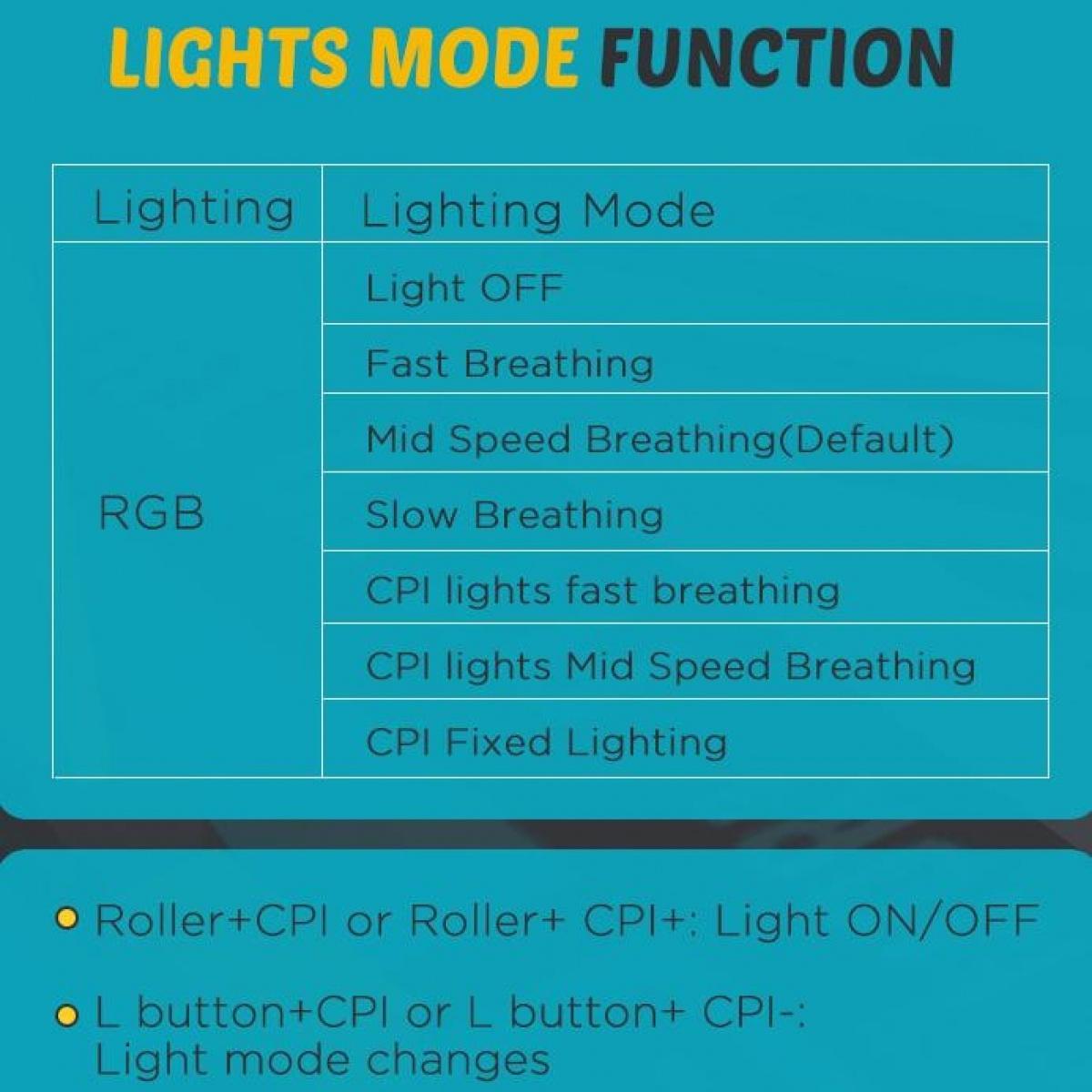
| Lighting Effects | 4-color dynamic cycling breathing LED |
| Dimensions | 130 * 71 * 42 mm |
| Product Weight | 130 g |
| Switch Lifespan | Huanyu gaming switch (Left/Right) rated for 3 million clicks |
| Cable Specifications | 1.45m exposed high-density braided cable |
| DPI Resolution | Adjustable 1200 - 2400 - 4800 - 6600 DPI |
Is the M202 gaming mouse compatible with consoles or laptops?
Yes. It features a standard high-speed USB interface with plug-and-play capability. It is fully compatible with mainstream Windows and macOS PCs, laptops, and devices that support external USB mice without needing any driver installation for basic operations.
Will the mouse reset my DPI setting after being powered off?
No, it won't. The mouse features a built-in hardware-level onboard memory chip. Once you cycle through the 1200 to 6600 DPI settings and select your preferred speed, the chip automatically locks it into the firmware. Your settings are preserved even if you switch PCs or reboot.
How should I properly clean and maintain the 3D-printed top cover and side keys?
The top cover is finished with a precise 3D-printed process and a wear-resistant coating. For daily cleaning, simply wipe the surface gently with a slightly damp, lint-free microfiber cloth. Avoid using high-concentration alcohol or corrosive chemical solvents to protect the vibrant color layers.